






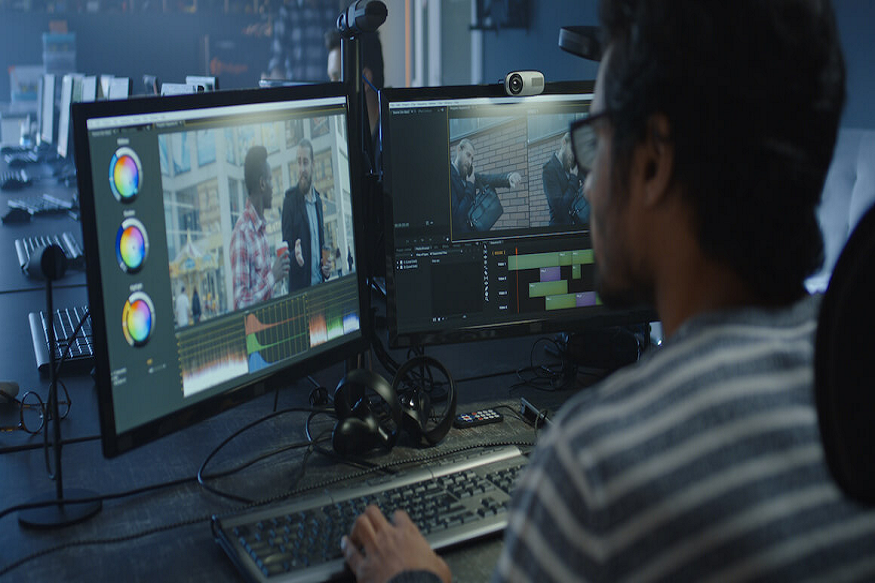
The shift to remote work has fundamentally transformed how production teams collaborate on high-stakes creative projects. Modern remote production collaboration platforms have emerged to address the unique challenges of coordinating creative work across distributed teams while maintaining the quality and control. They bring together multiple aspects of the production process within a single, unified environment.
Ways Remote Production Collaboration Systems Can Help
The way production teams work has changed dramatically with the rise of remote collaboration. In traditional production environments, team members typically worked in the same physical space, allowing them to gather around a screen, review content together, exchange ideas instantly, and maintain a shared understanding of project progress. Face-to-face interaction naturally helped preserve context and streamline decision-making. However, as teams increasingly operate across different locations and time zones, maintaining the same level of coordination and efficiency has become far more challenging.
Read More: Why Businesses Are Replacing Zapier With a GoHighLevel Expert
Remote production introduces obstacles that conventional communication tools are not equipped to handle. Most standard video conferencing platforms were designed primarily for meetings and conversations rather than professional creative production. To conserve bandwidth, these tools often compress video, images, and other media files, resulting in reduced quality that can hinder accurate reviews and critical creative decisions. Once a meeting ends, valuable context is frequently lost, forcing participants to revisit previous discussions and spend time re-establishing shared understanding during future sessions. Additionally, project assets often become scattered across various cloud storage systems, messaging applications, and email threads, making it difficult to locate files and track decisions efficiently. These challenges can slow project delivery, reduce productivity, and affect the overall quality of outcomes.
To overcome these limitations, modern remote production solutions have introduced persistent collaboration workspaces. These remote production collaboration systems serve as centralized hubs where all project-related content, discussions, and decisions remain accessible throughout the entire production process. Unlike traditional virtual meetings that disappear when the session ends, persistent workspaces continue to exist, preserving every asset, annotation, conversation, and update in one organized location. The benefit of this approach is substantial. Team members can return to a project at any time and immediately access its complete history. There is no need to spend valuable time reviewing previous conversations or searching for files across multiple platforms. Every discussion, document, media asset, and note remains connected to the project, creating a comprehensive record of its development from start to finish. This continuity improves efficiency, supports better collaboration, and ensures that critical information is never lost.
Read More: Why Should Employers Offer Eye Insurance Plans to Employees
Another essential requirement in professional production is the ability to review media at the highest possible quality. Creative professionals rely on accurate visual representation when evaluating color, editing footage, reviewing designs, or approving final deliverables. Remote collaboration platforms designed specifically for production address this need by supporting full-resolution media presentation. High-definition videos, 4K content, detailed images, and professionally formatted documents can be displayed exactly as intended, without the quality degradation commonly associated with traditional screen-sharing tools. Advanced systems further enhance collaboration by allowing multiple pieces of media to be displayed simultaneously. Teams can compare different versions of a project, evaluate alternate designs, review footage from various camera angles, or analyze multiple assets side by side.









+ There are no comments
Add yours